
Promote your release
Use the tools on this page to enhance your promotional campaign and increase digital sales of Etc by Nsekt
View release on Juno Download
Use the tools on this page to enhance your promotional campaign and increase digital sales of Etc by Nsekt
View release on Juno DownloadAlways link your releases to Juno Download using our buy and alert banners or links. You can also find more banners for your site here.
Keep an active and up-to-date blog to stay in regular contact with your fans and profile your music to a wider audience.
Email newsletters are one of the most effective forms of direct marketing. Use your email lists to promote forthcoming releases, and new releases to keep your subscribers up-to-date with what you are releasing.
Whether you prefer Facebook, Twitter, Instagram, Youtube or SoundCloud, each channel is a great way to engage your fans and increase sales.
Update your social networks regularly and tag Juno Download to keep your fans up-to-date.
Music forums are a great way to explore new music. There are hundreds of different dance music communities out there. Engage with your community and use it as a way to promote to your niche audience.
Remember: only post on relevant forums where users will want to hear your music.
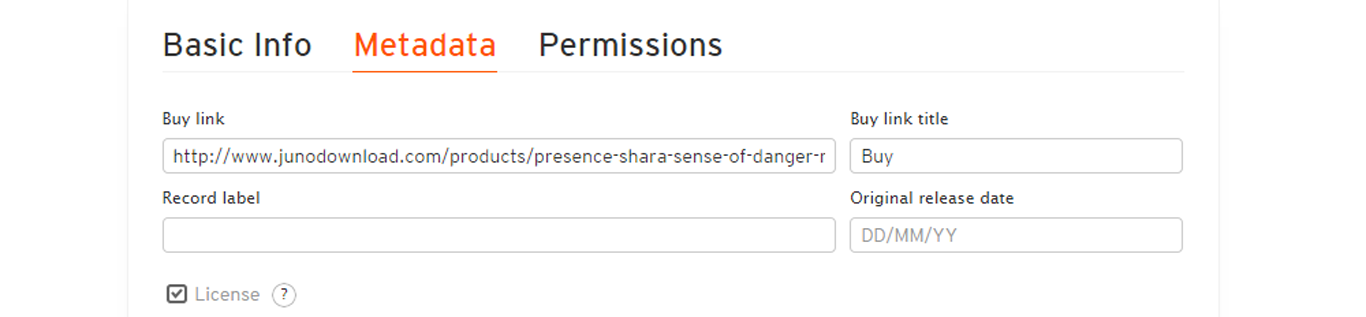
You can add a buy button to your tracks and playlists by going to the edit page through the pencil icon below the waveform. In the edit page, go to the 'Metadata' tab and add your Juno Download artist or release page for listeners to purchase your release / releases.
If you are a Pro user, you can also customize the text used for the Buy button on the edit page in the 'Buy link title' section to ‘Buy at Juno Download’.
Make sure you also add this buy link in the first line of your track description, and drop a link to the release in the timed comments of the upload so it won’t be missed!
Use the micro player to let people listen to your releases on your website/blog. To create a micro player, go to the release page and click “GET PLAYER” button at the bottom of the player. To create a micro player for this release, copy and paste the HTML below:
This player automatically updates with your latest music, artwork and has a buy button that links to your releases on Juno Download.
Create Portable Juno PlayerCreate a banner for your website or blog with the cover artwork of the release. There are no audio previews, but it includes a standard buy link.
Copy and paste the HTML code below to insert the banner on your website/blog:
 | ||
Nsekt | ||
Etc | ||
BadMood Recordings | ||
| Listen/buy on Juno Download | ||
Keep your fans in the loop with every new release on your label by inviting them to subscribe to Juno email alerts. Subscribers receive an automatic email with a buy link each time you have a new release available on the store.
Copy & paste this HTML on your website/blog where you would like the alert banner appear:

Add one of these buy buttons and link to all your label releases on Juno Download.
Copy & paste this HTML on your website/blog where you would like the alert banner appear:

Ask your artists to create DJ charts
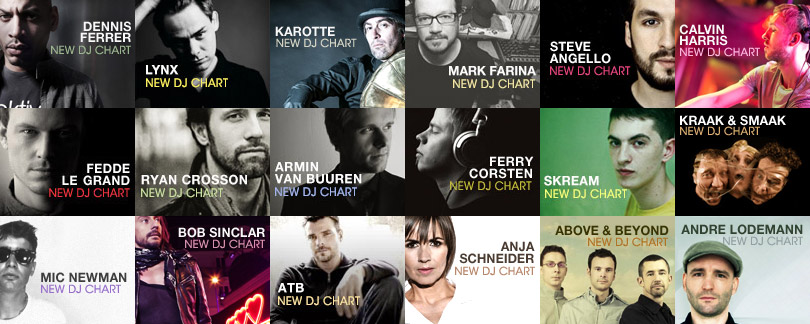
Create charts instantly to increase your artist's profile and your sales. Your artists can create instant DJ charts on Juno Download which are then featured prominently on the store. The charts are among the most popular pages on Juno Download, and sales of tracks included increase instantly - it's a guaranteed way of increasing your monthly royalties
To build a chart, the artist just needs to click on the "heart"
 icon to the left of each track name on Juno Download, then follow the simple instructions on the chart editor page.
Enhance your site with a feed of your page on Juno Download.
Here is the link for your RSS feed (Advanced users): https://www.junodownload.com/labels/BadMood+Recordings/feeds/rss/
Promote your release on social networks
Post a Facebook player in just one click below:
Or share on: